


Camera Views That Make Hard Work Easier — 2026 Chevrolet Silverado 2500 HD Towing Tips for Bartlett, IL
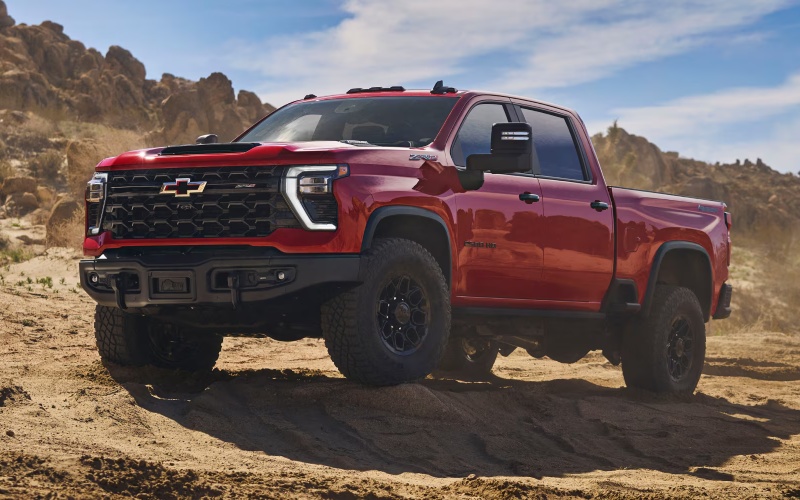
Biggers Chevrolet – Camera Views That Make Hard Work Easier — 2026 Chevrolet Silverado 2500 HD Towing Tips for Bartlett, IL
When you hitch a heavy trailer, clear sightlines make all the difference. That’s where the 2026 Chevrolet Silverado 2500 HD steps ahead with available camera technologies designed to take the guesswork out of every connection, merge, and turn. Around Bartlett, IL—where trips can shift from construction sites to errands on Route 59—those extra eyes turn a long day into a smoother one. In this guide, we’ll break down the camera views owners appreciate most, share practical tips for setup, and explain how these tools can help you tow with more confidence, especially when visibility is compromised by cargo, traffic, or a long trailer.
The Silverado 2500 HD’s cameras are thoughtfully placed to keep you focused on the job. With up to 8 available cameras offering up to 14 views, you can see beyond what mirrors capture. The available Hitch View simplifies lining up the ball and coupler—no jumping in and out of the cab or asking for a spotter. Bed View keeps an eye on cargo or a fifth-wheel connection, and the big standout is Transparent Trailer View. When properly equipped, it helps “see through” a compatible trailer, creating a composite image that shows what’s behind you. That extra clarity is a major confidence booster when you’re changing lanes on Lake St. or navigating tight lots near local suppliers.
Key Camera Views That Matter
Every truck and trailer combination is different, so understanding which views to rely on—and when—can help you work faster and safer. Silverado 2500 HD’s available camera suite is flexible, intuitive, and built for drivers who rotate between bumper pull and gooseneck/fifth-wheel setups.
- Hitch View: A close-up of the hitch and coupler for quick alignment and fewer do-overs
- Transparent Trailer View: A composite image that helps “see through” a compatible trailer while driving
- Bed View: A look into the cargo bed for tie-down checks and fifth-wheel/gooseneck visibility
- Surround Views: Multiple angles, including front and rear, for help in tight yards and job sites
- Side Views: Visual checks of blind zones along the trailer’s length when maneuvering
Hitch View is the first win many owners notice. If you’ve ever asked a coworker to guide you or inched back repeatedly to connect, you’ll appreciate how quickly this view puts the coupler where it needs to be. Once you’re underway, Transparent Trailer View can be a game-changer in traffic. Lane changes and merges get easier when you’re not guessing what’s behind or next to the trailer—especially valuable when towing equipment through busier areas around Bartlett Town Center or near industrial parks.
Trailering App Tips You’ll Use Every Week
Camera views and the In-Vehicle Trailering App are perfect partners in the Silverado 2500 HD. Creating a trailer profile inside the app makes repeat towing simpler—no more re-entering data every time. You can log details like trailer type, length, and connection style, and then reference pre-departure checklists that help standardize your routine. It’s a simple way to make sure you don’t forget steps like testing lights, confirming brake gain, and verifying safety chains before you roll.
- Build profiles: Save key trailer details—type, length, and brake settings—for faster setup
- Checklists: Use step-by-step reminders for lights, coupler, safety chains, and load checks
- Maintenance logs: Track service items like brakes, bearings, and tire rotations
- Alerts: Get helpful prompts if something needs attention before departure
When paired with the available 13.4-inch diagonal touch-screen, the Trailering App’s layout feels like second nature. And if you rely on Google Maps within Chevrolet with Google built-in, your route planning is already integrated in the same interface you use to monitor towing info. It’s a cohesive experience that cuts down on switching between devices while you’re trying to get moving.
Practical Advice for First-Time Towing with Cameras
Getting familiar with the camera suite takes just a few trips. Start by practicing in an open lot. Cycle through the available views to see how each angle lines up with real-world distances. Use Hitch View to connect, then confirm the coupler from two perspectives before you secure the latch. Try Transparent Trailer View on a straight road before switching lanes—build trust in what you’re seeing and how far back vehicles appear. Over time, you’ll instinctively know which view to select in a given scenario.
Another tip we share with Bartlett shoppers: consider how camera views and available Trailer Side Blind Zone Alert complement each other. The blind zone alerts provide a nudge when a vehicle is alongside the trailer, while the camera views let you actively verify what’s there before you commit to a merge. Together, they deliver a solid one-two punch for safer highway driving on I-290 or I-90.
If you switch between trailers, revisit your saved profiles regularly and confirm that settings like brake gain match your current load. Heavier trailers or different cargo placement can change how your rig behaves. A quick check before you roll—backed by Hitch View and a checklist run-through—sets the tone for a low-stress day.
Frequently Asked Questions:
How does Transparent Trailer View work on the Silverado 2500 HD?
When properly equipped and paired with a compatible trailer, the system stitches together images from the rear camera and a camera mounted on the back of the trailer to create a “see-through” effect, helping reveal vehicles or obstacles behind you.
Which camera views help most with a fifth-wheel or gooseneck setup?
Bed View is especially useful for alignment and quick checks of the hitch connection. Surround and side views help maneuver in tight spaces, while Hitch View assists with initial positioning.
Can I save more than one trailer profile in the In-Vehicle Trailering App?
Yes. You can create and save multiple profiles with details like trailer type, length, and brake settings, making it easy to swap trailers during the week without re-entering data.
Do the cameras replace traditional towing mirrors?
No. Cameras complement your mirrors by adding visibility where mirrors can’t. Quality mirrors and proper mirror adjustment remain essential, especially for monitoring the length of a larger trailer.
Is the camera system hard to learn?
Most drivers feel comfortable after a few uses. We recommend practicing in a lot, cycling through views, and using the pre-departure checklist in the Trailering App to build a consistent routine.
The bottom line: the 2026 Chevrolet Silverado 2500 HD’s available camera suite is more than a gadget—it’s a confidence multiplier. It helps you work faster, connect more accurately, and stay aware in places where mirrors alone fall short. For Bartlett drivers who alternate between job sites, supply runs, and weekend towing, this technology can turn a long day into a controlled, repeatable process. At Biggers Chevrolet, we’re serving South Elgin, Streamwood, and Bartlett with walk-throughs and test drives that showcase exactly how these views work in real-world scenarios. Bring your questions, and we’ll tailor a demonstration around your typical towing and loading routines.
0 comment(s) so far on Camera Views That Make Hard Work Easier — 2026 Chevrolet Silverado 2500 HD Towing Tips for Bartlett, IL